Hello everyone! In this post, I would like to share my experience converting my ASUS Chromebook into a usable Linux mini laptop. It's been a bumpy road, but I love how I have it set up right now.
Motivation
Let's start at the beginning... Why?
I was wandering through the depths of yewtu.be, when I found an interesting video by Veronica Explains (great YouTube channel, btw!) in which she shares her experience installing Linux on two Chromebooks. The video caught my attention, so I decided to try it out myself.
A few years ago, I bought a cheap ASUS Chromebook from PriceSmart for about $100. I primarily used it to consume media and attend university webinars (it didn't perform great, but it was tolerable). Back then, my main computer was a Samsung Galaxy Book Pro 3 with great specs: an i7 processor, 16GB of RAM, and an SSD. It only had integrated graphics, but I could still run games, edit videos, compile software, and attend webinars without an issue.
Eventually, I gave that laptop to my wife since she was starting university too. It was a gift to motivate her studies, and she’s been making excellent use of it! That left me with only my tiny Chromebook, which was the perfect excuse to revisit Veronica's video and install a proper Linux distribution.
The Installation Process
The installation process was actually very straightforward, and I even consider it fun. I followed the instructions from Mr. Chromebox's website on how to access Developer Mode for my laptop model, the ASUS CX1100CNA.
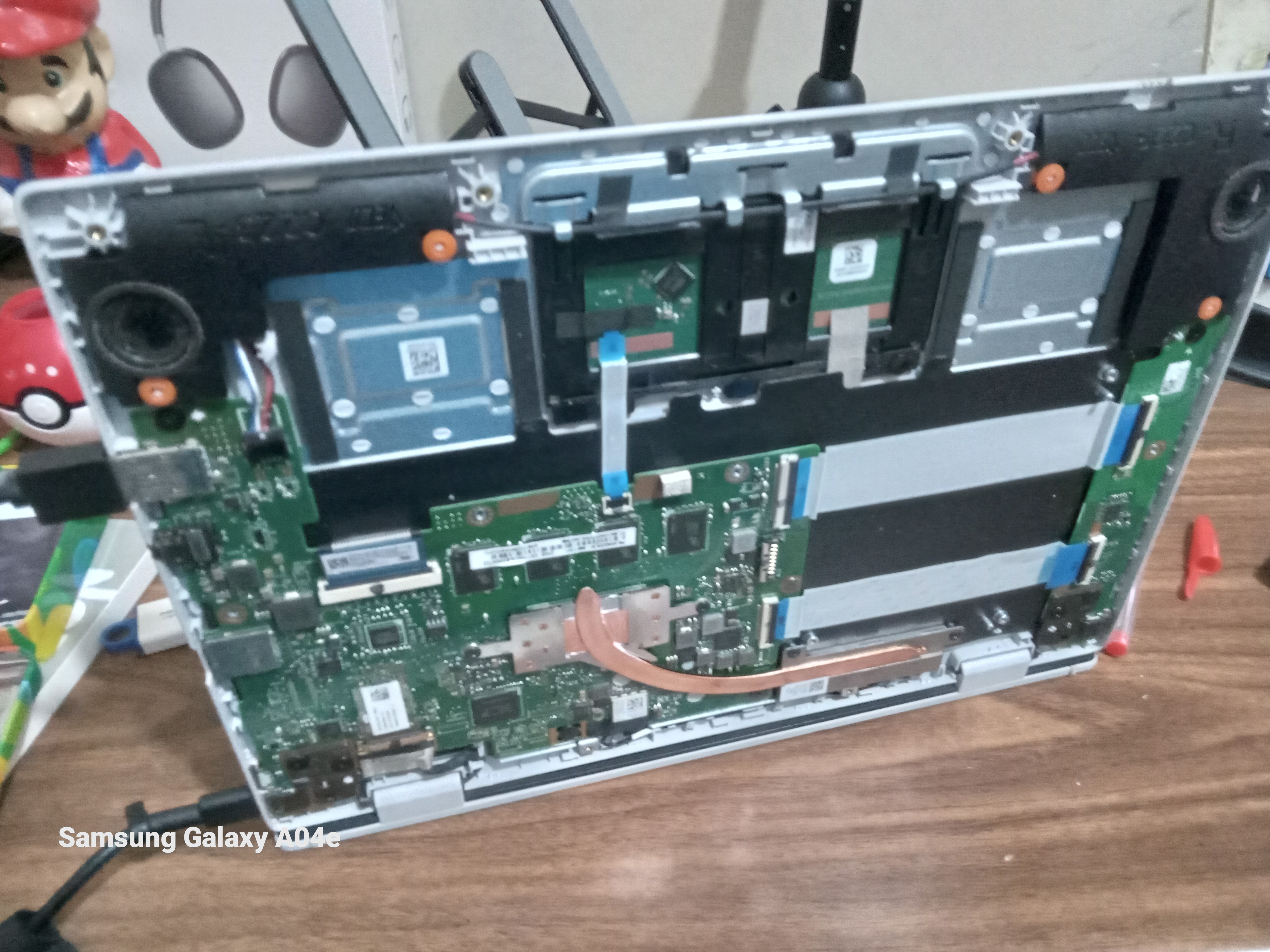
Initially, the instructions suggested disassembling the computer and removing the battery. However, when I did that, Developer Mode wouldn't activate. It turns out I had to put the battery back in, turn on the computer, and then disconnect the battery so the keyboard wouldn't lock itself (really weird!). Anyway, I managed to snap a picture of the process:
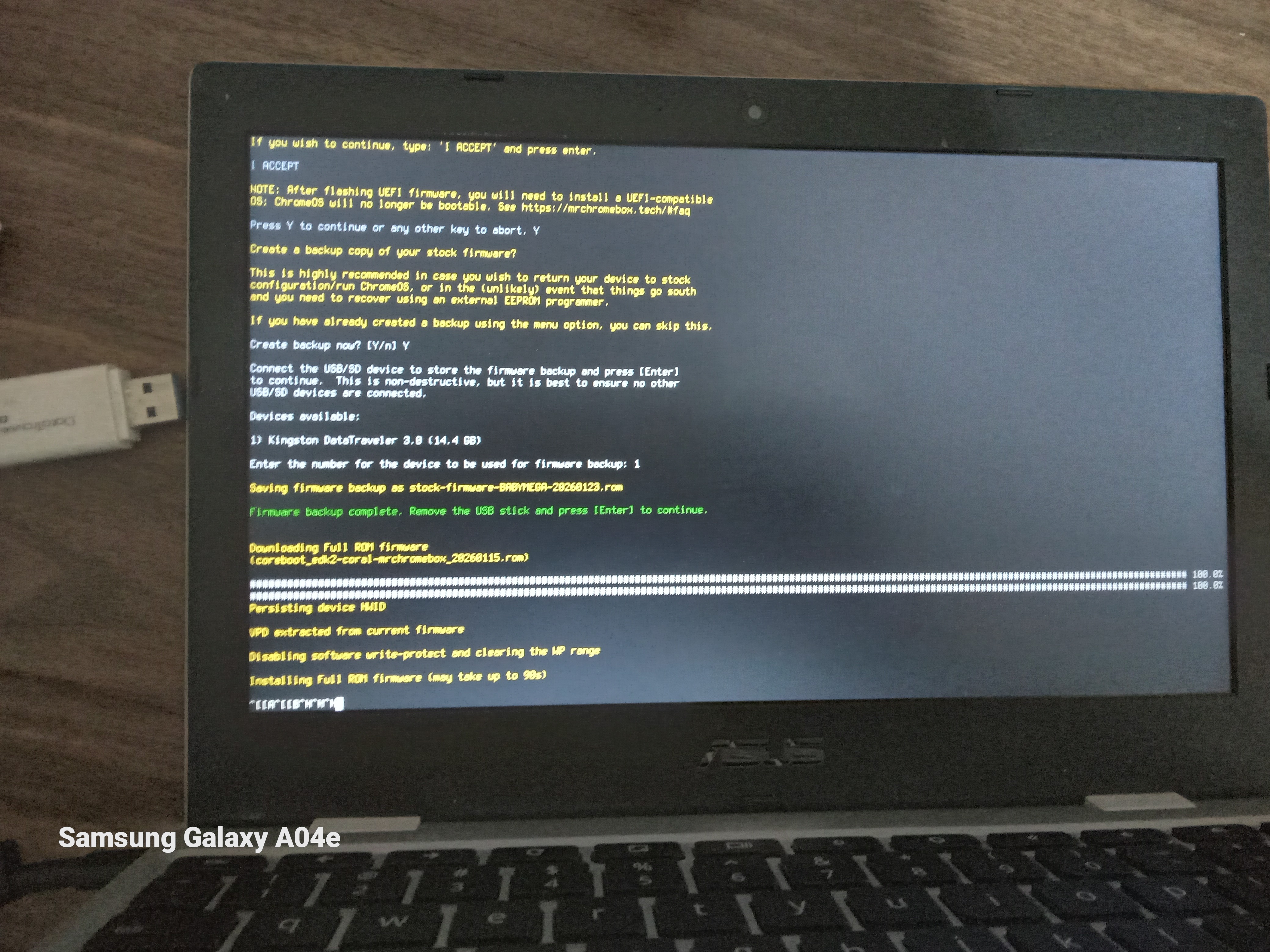
Once I reached the developer console, I ran the firmware utility script from the Mr. Chromebox website. You can find it here: Mr. Chromebox's Firmware Utility Script. Here's a picture of my Chromebook running the script:
And yes, I took those pictures with a Galaxy A04e—it's the phone I use and I got it for dirt cheap! LOL.
I got almost everything to work, except the audio, which ended up being super wonky. I'll talk about that in a moment.
The Linux Distribution
Now that I had unlocked my device, I needed to choose a Linux distribution. It was a tough decision because of the heavy hardware limitations: a Celeron processor, 4GB of RAM, and the hardest hurdle—only 30GB of eMMC storage! The distribution had to be extremely minimal and lightweight.
The first one that came to mind was Puppy Linux since it runs in RAM and offers great performance. I pulled out my trusty Ventoy USB, copied a BookwormPup installation image, and booted from it. It ran smoothly! Everything was blazing fast! But... I had no audio. I tried running Chrultrabook's audio script, but unfortunately, this laptop has a max98357a card, so audio wasn't guaranteed to work—and it didn't.
On the bright side, I got to speak with the folks in the Puppy Linux IRC channel. They're awesome! I highly recommend hanging out there, but I digress. I kept investigating and figured the kernel shipped with Puppy Linux might not be recent enough to have the firmware I needed.
So, I "distro-hopped" to Arch Linux (btw). While it doesn't run on RAM like Puppy does (at least not with the standard archinstall script), I finally got the audio working by running the Chrultrabook audio script and setting up PipeWire with help from the ArchWiki.
After Arch was installed, it was time for a desktop environment. I obviously wasn't going to install GNOME or KDE—they're way too heavy for this tiny netbook—so I looked at standalone window managers. I tried IceWM, i3, JWM, FVWM (didn't really like that one), Fluxbox, and CWM before finally landing on Openbox.
Openbox
My Openbox configuration is funny, nonetheless. I originally installed it as a standalone window manager, but then I wanted a panel, so I installed LxPanel. Then I wanted a file manager, so I installed PCManFM (which I also use to manage desktop icons). Then I wanted a GUI for themes, so I installed LXAppearance... and finally LXTerminal so everything would match.
Basically, I ended up installing LXDE with extra steps! LOL.
Openbox runs great on this computer. It's snappy, light on resources, and interacts well with modern applications. For example, I had an issue in TWM where right-click menus in browsers would disappear immediately, but Openbox handles them perfectly.
What do I use this for?
The main things I do on this computer are:
- Write scripts and small programs (I'm currently moving my code to Codeberg)
- Do homework, mainly writing essays with AbiWord
- Hang out with strangers on IRC, specifically
#archlinux-offtopicand#puppylinux - Play retro games using RetroArch
- Learn about Linux and Networking
Thanks for reading!
Back to Home